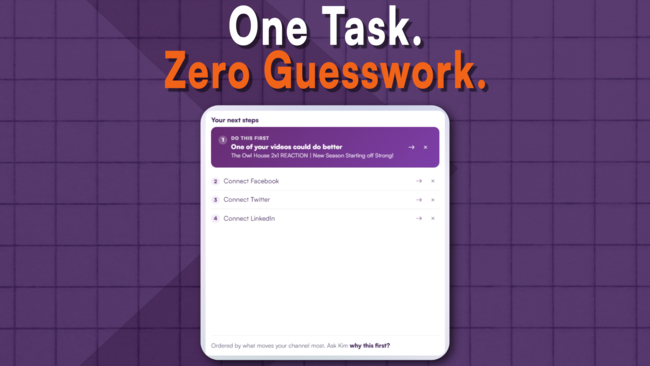

Never Get Lost in What To Do Next Ever Again

Know Exactly What To Do Next

Publishing a video is only half the job. Do Next tells you what to focus on before and after every upload, so momentum builds instead of resetting every time.

TubeSpanner Do Next
Ike

Heading
Are You Drifting Through Your YouTube Journey Or Making Deliberate Progress?

Body

When you start your YouTube journey, you know that you need to create a channel and start uploading videos with the end goal gaining tons of views and maybe turning a hobby into a full-time job.

  • Step 1: Create YouTube channel
  • Step 2: Publish videos
  • Step 3: ???
  • Step 4: Profit

What exactly should you be doing after you publish a video? With most established creators who have built a system that works for them, they know exactly what they should be doing next. 

For new creators, however, the next steps are unclear.

You'll end up making reactive decisions that might not benefit you in the long-term, forget opportunities that you should've done the day or week before, and have inconsistent momentum because of it.
Heading
Repeatable Steps to Help You Gain Momentum

Body

If you're not sure what you should be doing next, consider doing these repeatable steps that'll not only help you gain a steady momentum, but build discipline.

BEFORE YOU CREATE A VIDEO

  • Create a title and thumbnail (this is YouTube's own advice)
  • Write a description that fits the title and thumbnail
  • Research on the Trends tab in YouTube Studio or Google Trends on whether the topic you're making is being searched or not

AFTER YOU PUBLISH

  • Keep an eye on the first 24 hour performance, tracking the Impression, CTR, and Watch Time and Retention.
  • Make a social media post about the video (Instagram, Discord, Facebook, YouTube Community, etc.)

There are many more in-between steps. The ones above are just steps you can rinse and repeat. Write it down in your notepad (or Notion or Trello), mark it as a checklist, and make it a repeatable task.

By doing this, you'll know exactly what you should be doing next and you can add to the list to create a system that works for you.

Heading
Get Personalized Suggestions With TubeSpanner

Body

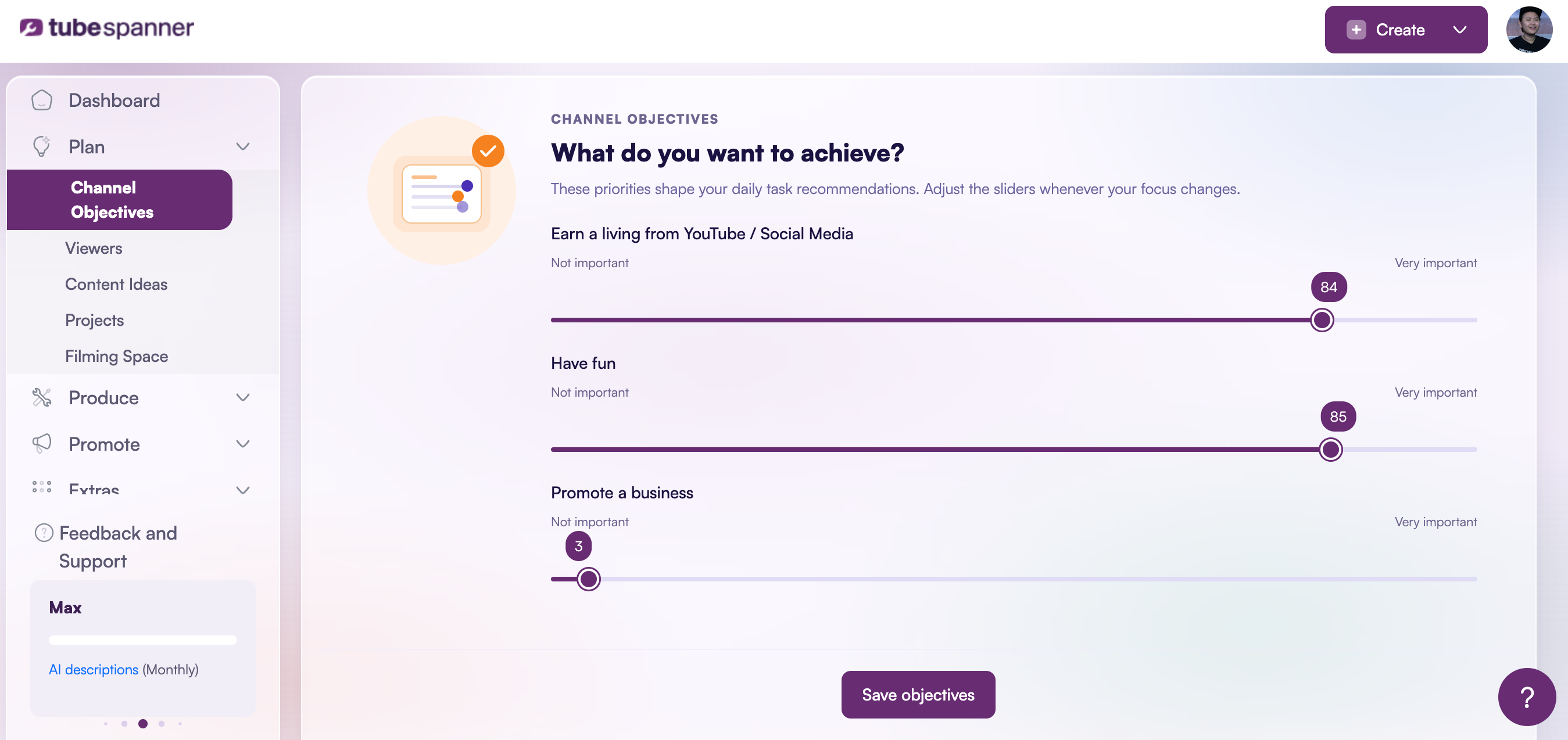
When you create a TubeSpanner account (via Google OAuth), you'll be able to set your channel objectives.

Are you doing YouTube because you want to earn a living from it, have fun, promote a business, or a little bit of everything?

TubeSpanner's AI will then adjust your tasks to what you should do next based on what you want to achieve.

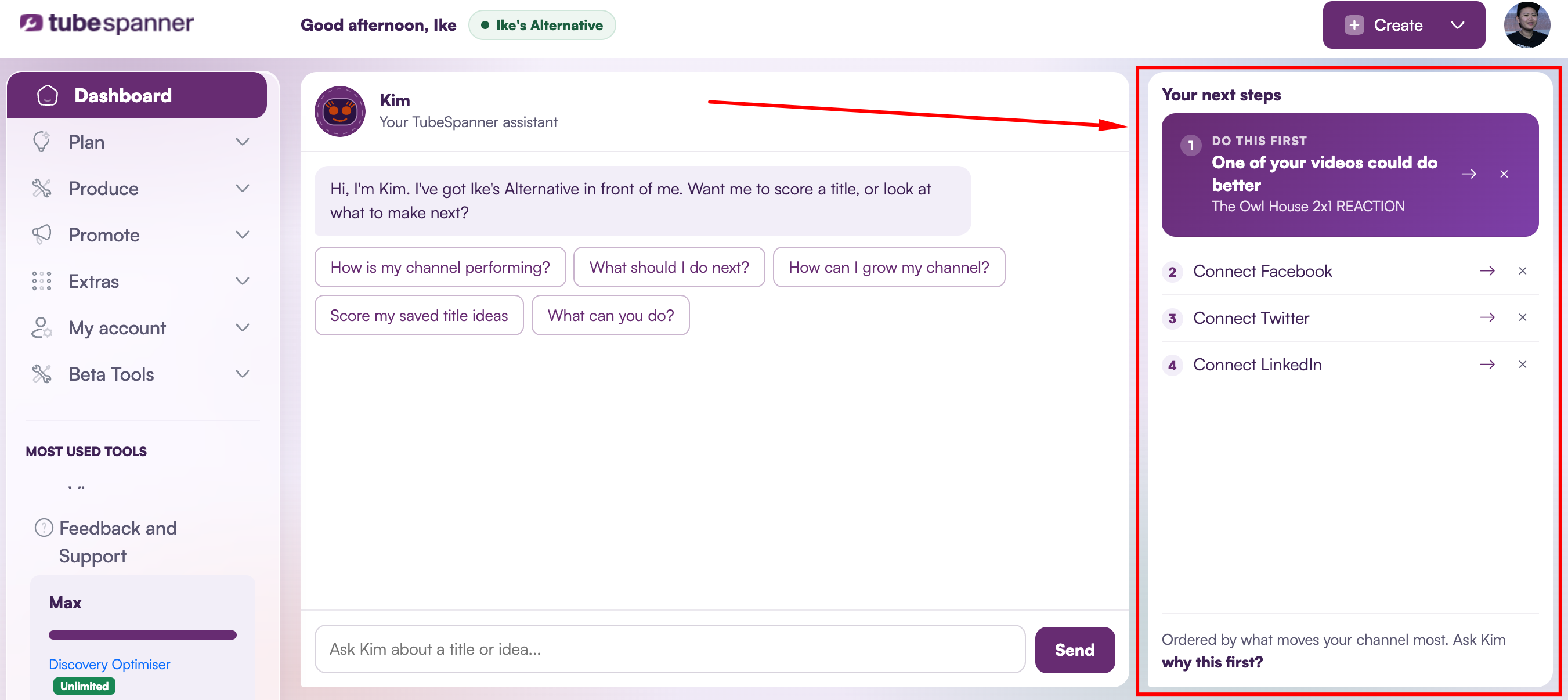
These tasks can be found on the TubeSpanner Dashboard. And depending on your plan (Free, Core, or Pro), the tasks will be refreshed weekly, daily, or realtime.

Eventually, the Do Next feature will also be in the browser extension, so you'll never have to leave YouTube.

Title
Stop Guessing, Start Progressing
Body

The Do Next Suggestions looks at your Channel Objectives, your Audience Avatars, your recent performance, and what you've left unfinished, then hands you the next meaningful action instead of a wall of options.

No credit card. No setup beyond connecting your channel.