
Shorts From Your Long Video

The Shorts are in the recording already

The moments worth clipping are the ones you already said well: the answer to a question, the number that surprises people, the line you practised. They are sitting in the recording you just made.

Studio finds them, frames them upright around you, and writes the opening line that gives them context.

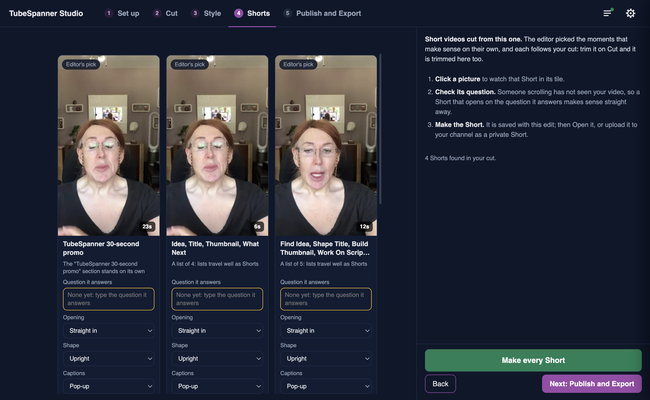
TubeSpanner Studio's Shorts page showing three upright Shorts the editor picked from one longer recording

Heading
Cut from the recording, not from the export

Body

Each Short is cut from your original footage rather than from the finished video, so it keeps the full quality and it does not inherit the long video's captions or cards. You can make a Short before you have rendered anything.

Tick sentences on the Cut step to build one by hand, or take the ones Studio suggests.

Heading
Upright, around you

Body

A 9:16 frame is cut around where you actually are in the shot, using the filming set you told TubeSpanner about, so you are not half out of frame. Captions are sized for a phone and sit where a thumb will not cover them.

Heading
What a Short gets

Bullets Multi
An opening line that sets up the clip, so it makes sense to someone who has not seen the video.
Word-by-word captions, the style that holds attention on a phone.
A clean start and end, cut in the silence around the words.
A direct upload to YouTube, once you are happy with it.

Tip

Image
Tip

Title
Record one video, publish several

Body

A ten minute video usually carries three or four clips worth posting. Studio shows them as a board of upright tiles, so you can watch each one and keep the ones that work.

Title
Get more out of every recording
Body

The Shorts come from the video you already made.